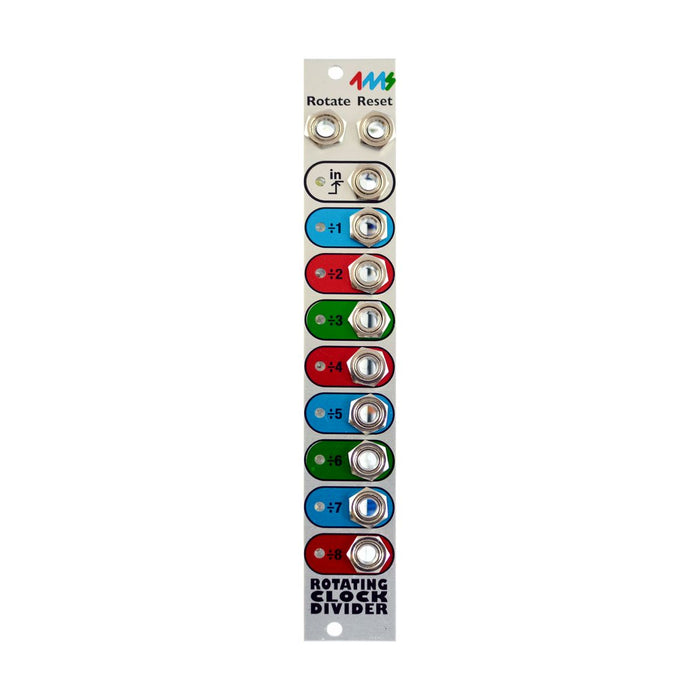
Compact clock divider Rotating Clock Divider (RCD) with unique split CV control. Divides the input clocks at various ratios and outputs the delimited clock from each output. In addition, cv control is possible in a unique way the number of divisions by "Rotate" CV.
In RCD,
- What number of split sclocks are output from each jack?
- Whether the output signal is a gate signal or a instantaneous trigger
- Where do you want to output the clock for the same number of divisions?
- Do you reset automatically in a short cycle?
It is possible to do in the setting of the jumper on the base. Or
RCD Break Out you can control them from the panel in real time without accessing the jumper. The clock of the number of "half-hearted" divisions, such as five divisions and seven divisions, can also create an interesting rhythm while keeping the normal bar breaks by applying the reset signal at a good timing. It is also very useful as a rhythm experiment module.
Rotate CV If you go through the Rotate CV little by little, from each jack
The number of divisions of the clock signal increases. The number of splits often increases by one, and when the jumper reaches the maximum number of splits that can be set, it returns to split number 1.(The relationship between the number of Rotate CVs and clock dividers is
ManualPlease take a look at the 5-6 page "Rotation Tables" in detail. )
If the maximum number of divisions is 8 (the default jumper setting) the number of adjacent outputs varies by one, so if you take a little bit of rotation CV, the clock output from each output by the above properties moves to the jack above, and the signal changes so that the output from the top jack moves to the bottom.
Describes the various settings of jumpers on the basis of rcd.
The image above shows the RCD jumper. From the top, the jumper is numbered with "7,8,3,4,5,6". The jumper is called "ON" when two pins are connected by the jumper, and the state that is not connected is called "OFF". The difference of the setting by ON/OFF of each jumper is as follows.